
Three applications, one database.
The till your cashier and captains use, the kitchen screen your chefs read, and the admin where you set the place up and read the money. The same order moves through all three.
The till
A web app on the counter PC or a tablet. Installs as an app, so a captain can carry it round the floor.
The kitchen screen
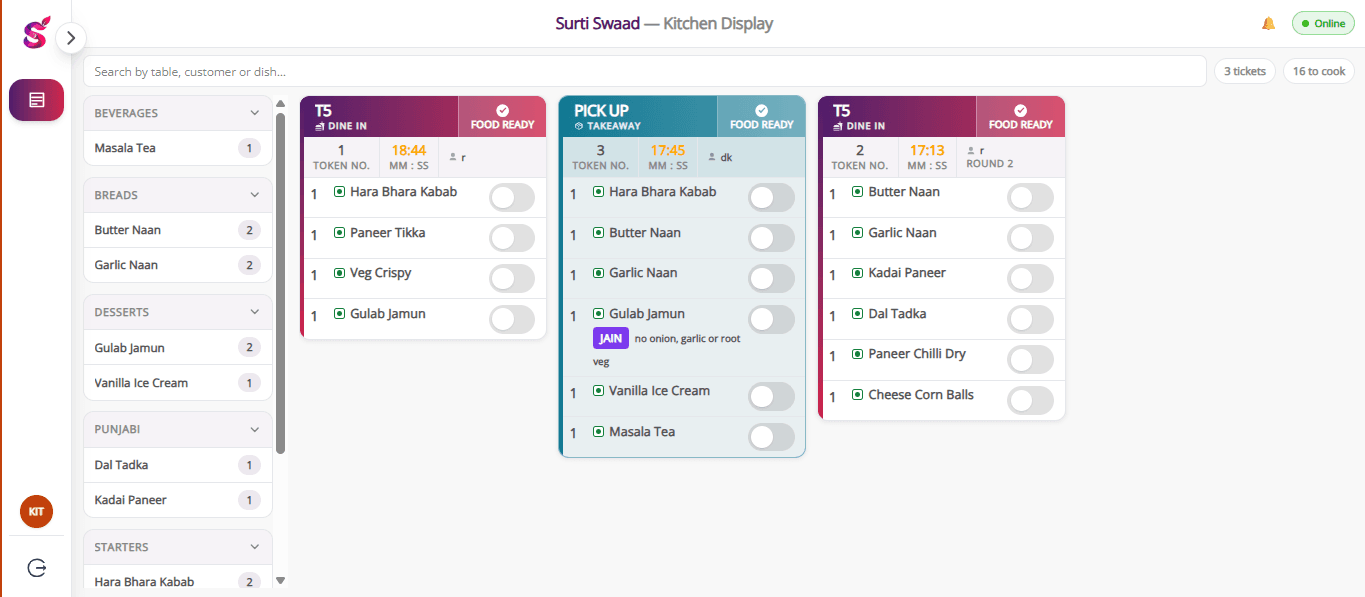
Orders arrive as numbered tickets the moment they are taken.
The owner's admin
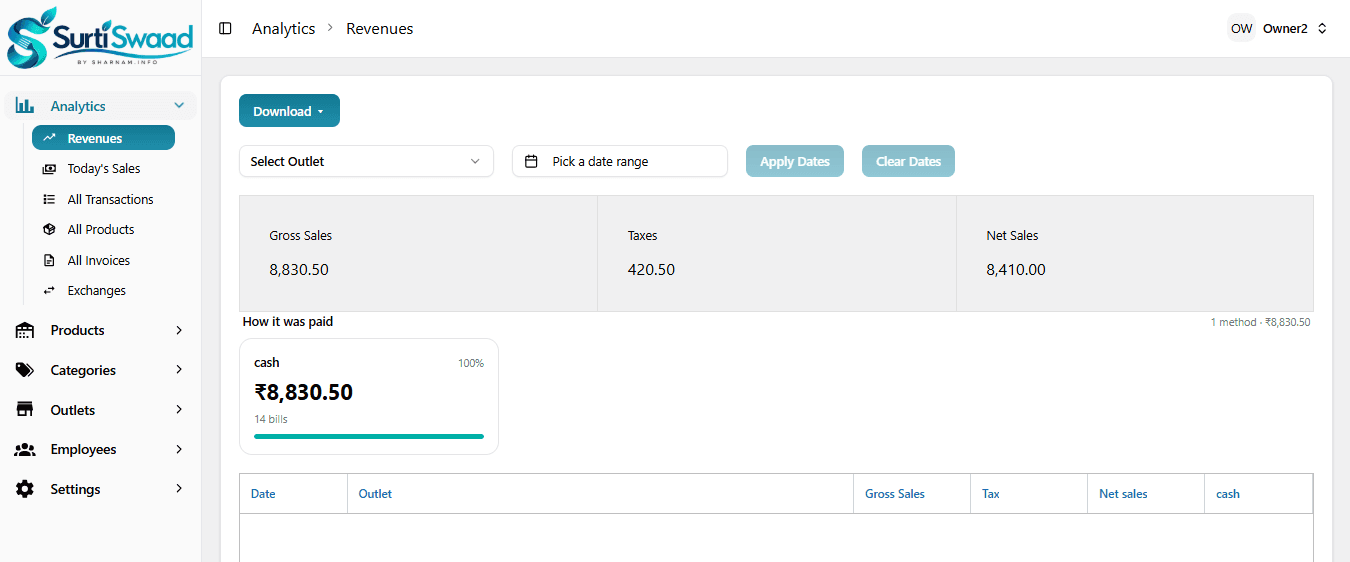
Outlets, menu, staff and every report, from anywhere.
On the floor
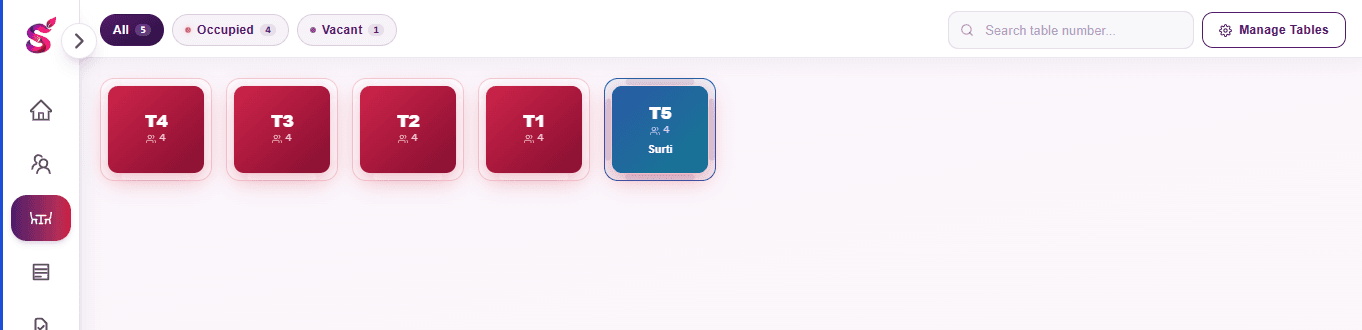
A live floor plan, so two people never take the same table by accident.
- Floor plan with tables that update live on every screen
- Menu by category, with dish photos, search and favourites
- Veg, non-veg and egg marks on every dish
- Jain where the kitchen can cook it without onion, garlic or root vegetables
- Regular customers found by name or number as the cashier types
- Hold an order, or send a bill request from the floor to the counter
In the kitchen
Orders arrive as numbered rounds, so nothing gets cooked twice or not at all.
- Kitchen tickets sent as the table orders more, numbered by round
- The Jain mark travels with the line to the ticket and onto the bill
- A bill cannot be made before the kitchen has the order
At the counter
Settle any bill, any way it gets paid, and print it properly.
- Split payments across cash, UPI and card, with change calculated
- Discounts that need the owner's approval before they apply
- Exchanges and refunds against a settled bill
- Parcel and counter sales, paid before the food is made
- CGST and SGST split on the bill, with the outlet's GSTIN
- One account, one device — signing in elsewhere signs the other out
Table 4 · Bill
- 2Surti Locho160
- 1Khaman (Jain)90
- 1Paneer Tikka240
- 4Masala Chaas120
- Subtotal
- ₹610.00
- CGST 2.5%
- ₹15.25
- SGST 2.5%
- ₹15.25
- Total
- ₹640.50
Payment
Split across two methods. Change calculated for you.
Prints straight to the thermal printer
In the office, for the owner
Set the place up once, then read the money.
- Outlets, each with its own name, address, GSTIN and bill footer
- Employees and their roles — owner, cashier, captain, chef
- Menu: categories, dishes, prices, tax rate, and which outlets sell what
- Promotions and payment methods, set per outlet
- Reports: revenue, transactions, invoices, product-wise sales, petty expenses
- Day-wise cash and UPI totals
What it does not do
Worth knowing before you book, so the demo is not a waste of your time. Today Surti Swaad does not handle:
- Inventory or recipe costing
- Swiggy, Zomato or other delivery aggregators
- Payroll
- Loyalty points
- Table reservations
- An accounting export
- A mobile app on the Play Store or App Store